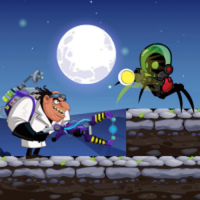
Mini-Game Obstacle Course Challenge
Reviews
Mini-Game Obstacle Course Challenge offers a delightful mix of obstacle courses and puzzles. The variety of mini-games keeps each level interesting, and the lack of timers makes it stress-free. Controls are responsive on both desktop and mobile. It's a safe, free, and engaging game for all ages.
About this game
Game Introduction
Mini-Game Obstacle Course Challenge is a browser-based skill game where players guide a character through a series of obstacle courses and puzzles. The core objective is to reach the end of each level by jumping, dodging, and finding clever solutions. What makes this game unique is its variety of mini-games, each with its own theme and set of obstacles, keeping the experience fresh and engaging. Designed for players of all ages, it offers a safe, family-friendly environment with no violent or inappropriate content. Vibrant graphics and smooth controls enhance the fun, making it an enjoyable way to test reflexes and problem-solving abilities.
How to Play
Players control their character using simple inputs—on desktop, typically the arrow keys or WASD to move and jump, while on mobile devices, tapping or swiping on the screen works. Each level presents obstacles that require careful timing and planning. Some puzzles may require thinking ahead to find the correct path. The goal is to reach the end of each course without falling or getting stuck. There are no timers, so you can take your time to practice and improve. The game supports both desktop and mobile devices, and you can switch to full-screen mode for a more immersive experience.
Game Features
Family-friendly obstacle courses with no downloads required, playable directly in your browser. The game supports both desktop and mobile devices, with touch and keyboard controls. It includes many levels with increasing difficulty, offering a satisfying challenge. Full-screen mode is available for a more immersive experience. The game is free to play and designed to be safe for all ages, with no violent or inappropriate content.
Tips for Success
Practice regularly to improve your timing and coordination. Take your time to observe each obstacle before moving—there are no timers, so patience is key. Learn the mechanics of each mini-game, as different themes may require different strategies. Focus on finding the correct path rather than rushing, as some puzzles require careful planning. Replaying levels can help you master tricky sections and build confidence.