
Description
Game Introduction
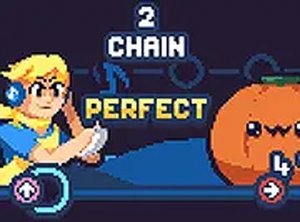
Erasure Rhythm Match is a browser-based music game that offers a rhythmic challenge inspired by popular music duel formats. In this game, players take on a role and face off against an opponent in a musical contest. The game uses a well-known song, recreated for this version, to deliver a fresh and engaging experience. This web version is designed for players who cannot run more demanding applications due to hardware limitations. It works smoothly on low-end PCs, Chromebooks, Mac, and Linux systems. You can play directly in your browser without downloading or installing any software. The game is family-friendly and contains no inappropriate content. Enjoy the music and improve your timing skills in this accessible rhythm game.
How to Play
To play Erasure Rhythm Match, use the arrow keys on your keyboard. When notes appear on the screen, press the corresponding arrow key in time with the music. The goal is to match more notes accurately than your opponent. The game follows classic rhythm mechanics where timing is essential. Missing notes may reduce your energy, while hitting notes correctly will keep you in the contest. Practice to improve your score and enjoy the beat. No registration or installation is required. Simply load the game in your browser and start playing.
Game Features
Game features include a rhythmic contest with a catchy song. The game is optimized for low-end devices. It offers free online play with no downloads required. The content is family-friendly and suitable for all ages. Controls are simple, using arrow keys. The game is accessible on Chromebook, Mac, and Linux systems.
Tips for Success
To succeed in this rhythm game, focus on listening to the beat and timing your key presses accurately. Start with slower sections to build muscle memory, then gradually increase your speed. Keep your eyes on the note arrows and try to anticipate the next pattern. If you miss notes, stay calm and continue; consistency is key. Practicing regularly will help you improve your reaction time and score higher.











Player Comments
Sign in to comment
You must be logged in before posting a review or rating.
No account? Create one
No comments yet. Be the first to comment!