Ball Sort: Color Puzzle Challenge
Reviews
Ball Sort: Color Puzzle Challenge is a well-crafted puzzle game that offers a satisfying sorting experience. The controls are responsive, and the difficulty curve is gentle, making it accessible to all players. The undo feature reduces frustration, and the lack of timers allows for thoughtful play. With many levels, it provides good replayability. It is a perfect choice for anyone looking for a calm yet engaging brain teaser.
About this game
Game Introduction
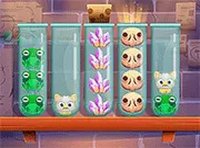
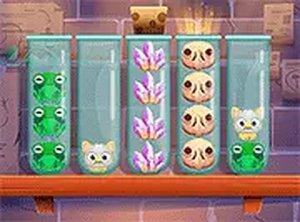
Ball Sort: Color Puzzle Challenge is a relaxing puzzle game where you sort colorful balls into matching tubes. The core objective is to move balls between tubes so that all balls of the same color end up together in one tube. The game starts with a few tubes and colors, making it easy to learn, and gradually introduces more tubes and colors to increase the challenge. It is designed to be a calming brain teaser without time limits or penalties, allowing you to play at your own pace. The game runs directly in your browser on both mobile and desktop, with no downloads required, making it accessible for quick breaks or longer sessions.
How to Play
Players typically select a tube to pick up the top ball, then select another tube to move that ball there. The goal is to sort all balls of the same color into a single tube. You can plan your moves carefully or take a more casual approach. An undo button is available to correct mistakes, allowing you to try different strategies. As you progress, puzzles become more complex, requiring careful thought and planning. The controls are intuitive, making it easy for anyone to learn. The game saves your progress automatically, so you can return to any level later.
Game Features
This puzzle game offers relaxing gameplay with no time limits, making it suitable for stress-free play. It features colorful and clear graphics that are easy on the eyes. The game includes many levels with increasing difficulty, providing a gradual challenge. An undo button helps you correct mistakes without penalty. The game works on both mobile and desktop browsers, is free to play, and requires no downloads. Full screen mode is available for a more immersive experience.
Tips for Success
Start by focusing on tubes that already have multiple balls of the same color, as they are closer to completion. Use the undo button freely to experiment with different moves and learn from mistakes. Try to free up empty tubes early, as they give you more flexibility to rearrange balls. Plan a few moves ahead to avoid getting stuck. Take your time—there is no rush, so you can think through each move carefully. Regular practice will help you recognize patterns and improve your sorting speed.