Trickery Beat Rhythm Game - Ludoryx free online game

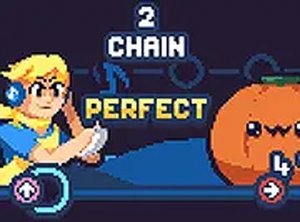
Trickery Beat Rhythm Game

Music Rhythm Arcade Browser Fan-Made Challenge
Advertisement

Reviews

Trickery Beat Rhythm Game is a polished fan-made music game that delivers an engaging beat-matching experience. The original songs are catchy and the tricky opponent adds a fun challenge. The game runs smoothly on low-end hardware and requires no download, making it accessible to everyone. Adjustable difficulty settings allow players of all skill levels to enjoy the game. A great choice for quick sessions or longer play.

About this game

Game Introduction

Trickery Beat Rhythm Game is a fan-made music game where players take on the role of Boyfriend in a musical showdown against a tricky version of Sonic known as Satanos Sonic. The game features original songs with a unique twist that challenge your ability to follow the beat. This web-optimized version runs smoothly on low-end PCs, Chromebooks, Macs, and Linux systems. You can enjoy the full experience without downloading anything or using hard drive space. Simply open your browser and start playing. The game is designed for quick sessions and long play alike. The core objective is to complete each song by accurately pressing the correct arrow keys in time with the music. As you progress, the game becomes faster and more complex, requiring sharper rhythm skills. The game is accessible to players of all skill levels, with adjustable difficulty settings to match your experience.

How to Play

Players use their keyboard arrow keys to match on-screen arrows. When arrows reach a target area, press the corresponding direction key. Timing your presses to the music earns points and keeps the performance going. The game becomes faster and more complex as you advance, requiring sharper rhythm skills. You can adjust settings to make the game easier or harder. The goal is to finish each song without missing too many notes. Practice helps you improve your score and timing.

Game Features

Smooth web-based play works on all devices. Catchy original songs with a tricky twist. Accessible design for low-end hardware. No installation needed. Adjustable difficulty settings.

Tips for Success

Focus on the beat and try to relax your fingers to improve timing. Start with easier difficulty settings to learn the song patterns. Practice regularly to build muscle memory for the arrow sequences. Pay attention to the visual cues on screen to anticipate upcoming arrows. Taking short breaks can help maintain concentration during longer sessions.


Compatibility

This H5 game runs smoothly on:
• Desktop computers (Windows / Mac) • Mobile phones (iPhone / Android)
• Tablets (iPad / Android)
🌐 Best experienced with Chrome, Safari, or Edge

Faq

Is Trickery Beat Rhythm Game free to play?
Yes, the game is completely free to play. You can access it directly in your web browser without any payment or subscription. There are no hidden costs or in-app purchases required to enjoy the full experience.
Does the game require an internet connection after loading?
Once the game loads in your browser, it runs locally without needing a constant internet connection. However, you will need an internet connection to initially access the game page and load the game files.
Can I play this game on a mobile phone or tablet?
The game is optimized for desktop and laptop computers with a keyboard. While some mobile browsers may load the game, the arrow key controls are designed for physical keyboards, so playing on touchscreens may be difficult or unsupported.
How many songs are available in the game?
The game includes a selection of original songs with a tricky twist. The exact number of songs may vary, but players can expect multiple tracks to challenge their rhythm skills. Additional songs may be added in future updates.
Does the game save my progress or high scores?
The game may save your progress and high scores locally in your browser using cookies or local storage. This means your data stays on your device and is not stored on any server. Clearing your browser data may reset your progress.
What should I do if the game lags or runs slowly?
If you experience lag, try closing other browser tabs or applications to free up system resources. Lowering the graphics quality in the game settings can also help. The game is designed for low-end hardware, so most modern devices should run it smoothly.