Dragon Rhythm Challenge - Ludoryx free online game

Dragon Rhythm Challenge

Arcade Music Rhythm
Advertisement

Reviews

Dragon Rhythm Challenge offers a polished and accessible rhythm game experience. The controls are simple, making it easy for beginners, while the increasing difficulty provides a satisfying challenge for experienced players. The family-friendly visuals and catchy tunes make it a great choice for quick, enjoyable sessions.

About this game

Game Introduction

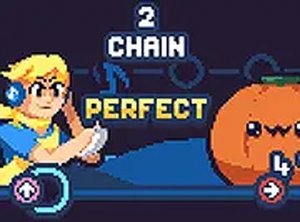
Dragon Rhythm Challenge is a web-based music and timing game that brings a dragon-themed character into a rhythm showdown. Players take on the role of a performer who must match musical notes in time with the beat to progress through songs. The game is optimized to run smoothly on a variety of devices, including low-end PCs, Chromebooks, Mac, and Linux systems, without requiring downloads or powerful hardware. The family-friendly presentation and catchy tunes make it suitable for players of all ages who enjoy music-based gameplay.

How to Play

Players typically use the arrow keys on their keyboard to match on-screen musical notes that scroll in time with the song. Pressing the correct key when the note reaches a target area scores points and keeps the performance going. Each song has a steady rhythm that players must follow, and missing notes may cause the round to end. The game is easy to pick up, with simple controls that focus on timing and coordination. No special equipment is needed—just a keyboard and a sense of rhythm.

Game Features

This game offers free access with no downloads required, making it convenient for quick play sessions. It is optimized for a wide range of devices, including those with limited hardware capabilities. The music and visuals are designed to be family-friendly, ensuring a safe experience for all ages. The difficulty increases as players progress, providing replay value and a gradual learning curve. Players can also support the original creators by following their social media pages.

Tips for Success

Practice regularly to improve your timing and accuracy, as rhythm games reward consistency. Focus on the beat of the music rather than just the visual cues, as this helps you anticipate note patterns. Start with easier songs to build confidence before tackling harder ones. Keep your fingers relaxed and positioned over the arrow keys to react quickly. Taking short breaks between attempts can help maintain focus and prevent fatigue.


Compatibility

This H5 game runs smoothly on:
• Desktop computers (Windows / Mac) • Mobile phones (iPhone / Android)
• Tablets (iPad / Android)
🌐 Best experienced with Chrome, Safari, or Edge

Faq

Can I play Dragon Rhythm Challenge on my tablet or phone?
The game is web-based and optimized for low-end PCs, Chromebooks, Mac, and Linux systems. While it may work on some tablets or phones, it is primarily designed for keyboard input, so a physical keyboard is recommended for the best experience.
Are there different songs to choose from in Dragon Rhythm Challenge?
The game includes a variety of songs with different rhythms and difficulty levels. As you progress, new songs may become available, offering a gradual challenge. The exact number of songs is not specified, but players can expect a selection of catchy tunes.
Is Dragon Rhythm Challenge completely free to play?
Yes, the game is free to play with no downloads or purchases required. It runs directly in your web browser, making it accessible to anyone with an internet connection. There are no hidden fees or in-game purchases.
Does Dragon Rhythm Challenge have a story or narrative?
The game focuses on rhythm and timing gameplay rather than a detailed story. The dragon-themed character adds a fun theme, but the main objective is to match notes to the beat. There is no complex narrative to follow.
Can I compete with friends in Dragon Rhythm Challenge?
The game is designed as a single-player experience where you improve your own timing and scores. It does not include multiplayer or direct competition features. However, you can compare high scores with friends informally.
What should I do if the game lags on my device?
The game is optimized for low-end devices, but if you experience lag, try closing other browser tabs or applications. Ensure your browser is up to date. Reducing the game window size or lowering graphics settings may also help improve performance.