
Description
Game Introduction
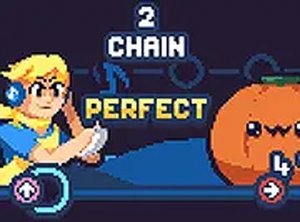
Vesania Chorus Rhythm Game is a browser-based music experience where the entire cast of characters performs a single song together. Unlike traditional one-on-one rhythm battles, this game focuses on group harmony and cooperative play. Players join the chorus by matching musical notes as they scroll across the screen, contributing to a lively and unified performance. The game is optimized to run smoothly on low-end devices, including Chromebooks, older PCs, Macs, and Linux systems, making it accessible to a wide audience. The core objective is to keep the rhythm flowing by hitting notes accurately, which maintains the energy of the group performance. This cooperative twist on the rhythm genre encourages musical fun and coordination in a safe, family-friendly environment. The game is designed for short play sessions, with bright visuals and catchy music that appeal to players of all ages. It is a free online game that requires no downloads, allowing instant access through a web browser.
How to Play
Players use the arrow keys on their keyboard to match the rhythm as musical notes scroll across the screen. When a note reaches the target area, press the corresponding key. The game provides visual cues to help players stay on beat. The goal is to hit notes accurately to maintain the rhythm and earn points. Missing notes will break the flow, but players can try again. The game is designed for smooth performance, allowing players to focus on the music. Practice helps improve timing and coordination with the cast.
Game Features
This rhythm game features the entire cast singing the Vesania song together in a group performance. It is an online port that works on low-end devices, requiring no downloads. The game offers a cooperative twist on the standard format, with simple arrow key controls. The music is catchy and the visuals are bright, creating an engaging experience suitable for short play sessions. The game is family-friendly and accessible to a wide audience.
Tips for Success
Start with a slower speed if available to get used to the note patterns. Focus on the beat of the music rather than just the visual cues, as this helps with timing. Practice regularly to build muscle memory for the arrow key sequences. If you miss a note, don’t get discouraged—keep going to maintain the flow. Listening to the song outside the game can also help you anticipate the rhythm. Finally, ensure your keyboard is responsive and you are in a quiet environment to minimize distractions.









Player Comments
Sign in to comment
You must be logged in before posting a review or rating.
No account? Create one
No comments yet. Be the first to comment!